
Playback Gestures
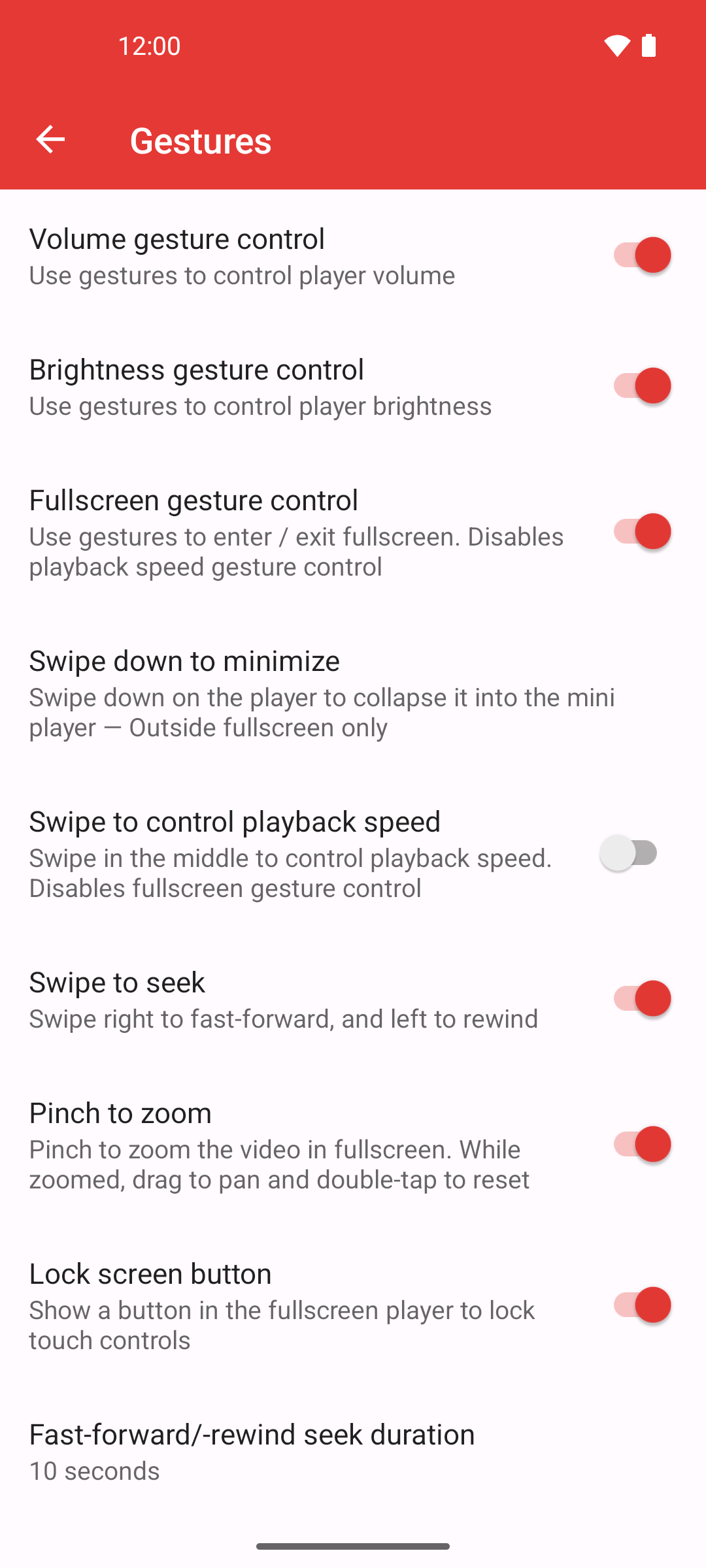
Most gestures are performed on the video player itself. You can turn each of them on or off in Settings > Gestures.
Reference capture: Android 16/API 36. 1 is pinch to zoom; 2 shows the lock button in fullscreen.
The basic gestures
- Enter or exit fullscreen: swipe up or down on the video. (Fullscreen gesture control, enabled by default.)
- Adjust brightness: swipe up or down on the left side of the screen. (Brightness gesture control, enabled by default.)
- Adjust volume: swipe up or down on the right side of the screen. (Volume gesture control, enabled by default.)
- Seek: swipe right to fast-forward, left to rewind. (Swipe to seek, enabled by default.)
- Change the playback speed: swipe in the middle of the video. (Swipe to control playback speed, disabled by default.) It replaces the fullscreen gesture: you can use one or the other, not both.
Pinch to zoom
In fullscreen, pinch the video with two fingers to zoom in. While zoomed, drag with one finger to move around the picture, and double-tap to go back to the normal view.

- Default: Enabled
- Only in fullscreen, not in the popup player.
Lock screen button
In fullscreen, the padlock on the side of the player locks the touch controls, so a tap in your pocket or on the edge of the screen does not pause, seek or leave the video. Tap the padlock again to unlock.

While the player is locked, only the open padlock stays on screen. Taps do not bring back the controls, and swipes do not leave fullscreen.
- Default: Enabled (the button is shown)
Swipe down to minimize
Swipe down on the player to collapse it into the mini player.
- Options: Disabled, Outside fullscreen only, In and outside fullscreen.
- Default: Outside fullscreen only
The In and outside fullscreen choice takes over the swipe used by the fullscreen and playback speed gestures, so keep Outside fullscreen only if you still want those gestures while watching fullscreen.
Fast-forward/-rewind seek duration
How far a double-tap on the side of the player jumps. The same step is used by the rewind and fast-forward buttons when Rewind/fast-forward instead of previous/next is enabled.
- Options: 5, 10, 15, 20, 25, 30 seconds.
- Default: 10 seconds
Long-press to speed up playback
Long-press the video to play it faster while your finger stays down.
- Options: 0.1x to 5x, or Disable.
- Default: 3x
Pull to refresh
Swipe down at the top of the feed to refresh it.
- Default: Enabled
Right swipe action in local playlists
What happens when you swipe an item to the right in one of your local playlists.
- Options: Delete, Enqueue, Disabled.
- Default: Delete