
Accounts and services
Accounts and cookies
Only sign in when you need a service feature that requires it. If login, logout, reCAPTCHA, or account switching fails, include the service, Android version, endpoint, exact screen/result, and whether clearing WebView cookies changes the behaviour. Do not publish credentials, cookies, tokens, or a full account export.
The controls do not clear the same data. A report about Clear reCAPTCHA cookie should name that action and say whether a confirmation was shown; clearing WebView cookies is a different account/WebView action and can show its own confirmation. “I cleared cookies” is not enough to reproduce the problem.
Before clearing anything, note the symptom and the service. Clearing cookies signs you out or removes challenge state and is a diagnostic/reset step, not a universal fix. Retest the exact same URL after the action.
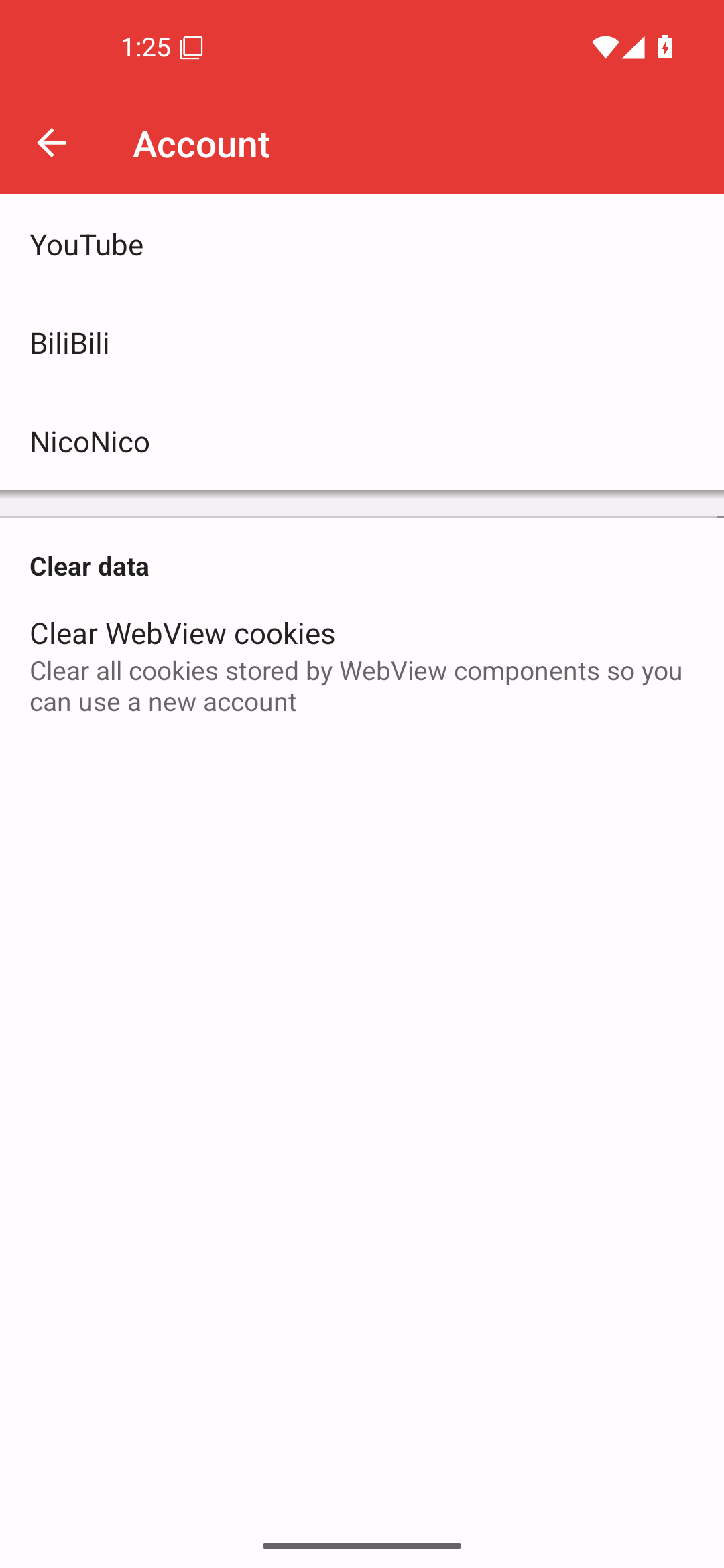
Reference capture: Android 16/API 36. It illustrates the separate service entries and the distinct Clear WebView cookies action.
Service-specific reports
PipePipe supports several services. Always identify the service first: a YouTube endpoint setting does not explain a BiliBili or NicoNico failure. Include the content URL and the service login state; these are often the shortest path to the correct extractor.
Restricted content
For age-restricted or member-only YouTube content, say whether login is active and whether the content is expected to be available to that account. Avoid sharing personal account details in public.
Logging in does not guarantee that an extractor/upstream problem disappears. If a restricted video and automatic subtitle translation both fail after successful login, report them as their respective content/extraction behaviours with the URL and visible error—not as proof that your account is invalid.