
Reporting a problem
Good reports let maintainers reproduce a problem instead of guessing from a title. Open a bug report for a malfunction; use a feature request only for a new capability or product decision. A compatibility error or a regression is a bug report even if you would also like a broader improvement.
Include these facts
- PipePipe version and installation source;
- Android version and device model;
- affected service and URL/query;
- selected YouTube extraction endpoint;
- login state, content country, and VPN/proxy state;
- exact steps, expected result, actual result, and approximate time;
- PipePipe's generated error report or crash log.
For a WebView problem, also include the provider package/version and a screenshot of Android's WebView implementation setting. For search, include an expected result. For playback, say whether the error happens on startup, during playback, or after a seek.
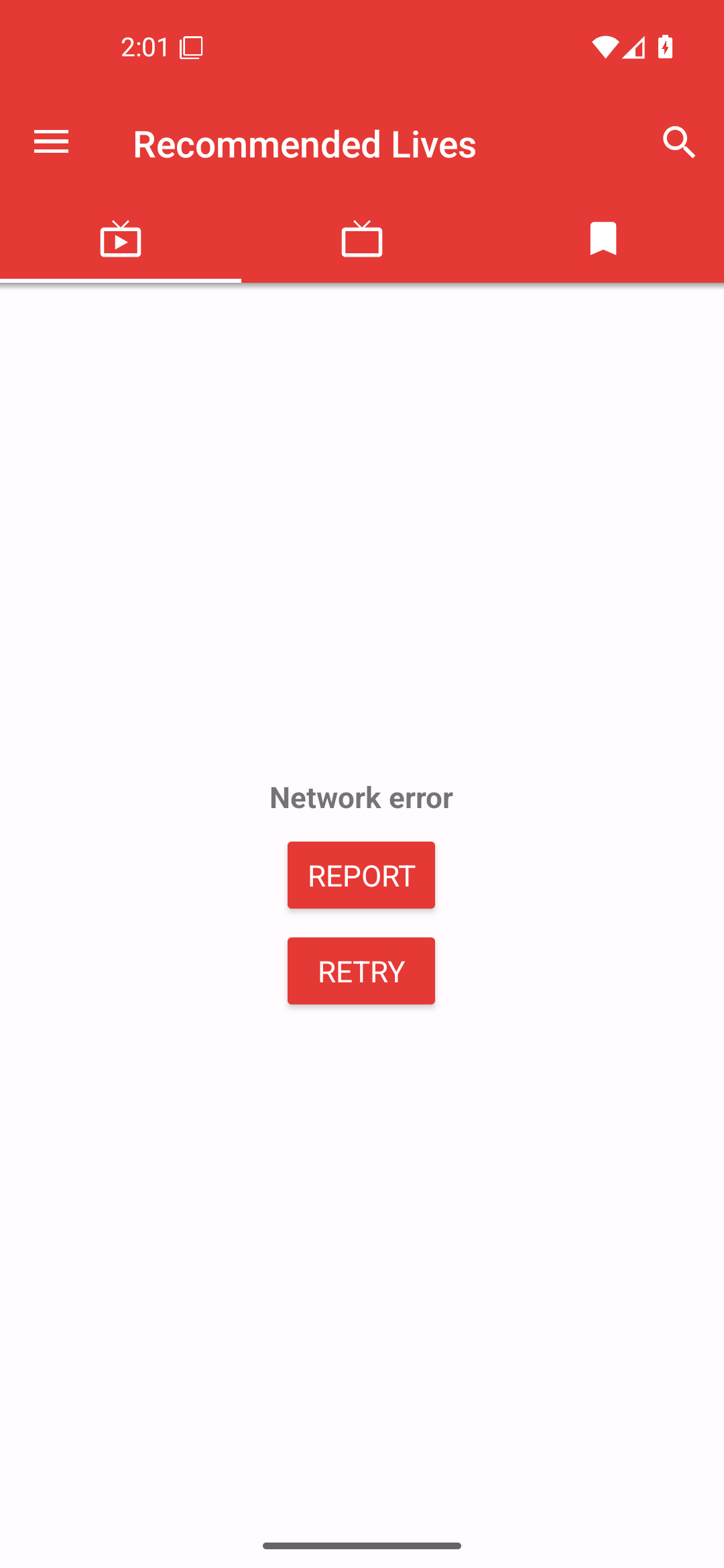
When PipePipe offers REPORT, open it before retrying or clearing data. The generated page contains the service, URL/request, endpoint, language/country, version, and error details that were essential in recent SABR fixes. Remove or redact a private URL, cookie, token, account detail, or other sensitive text before sharing it publicly.
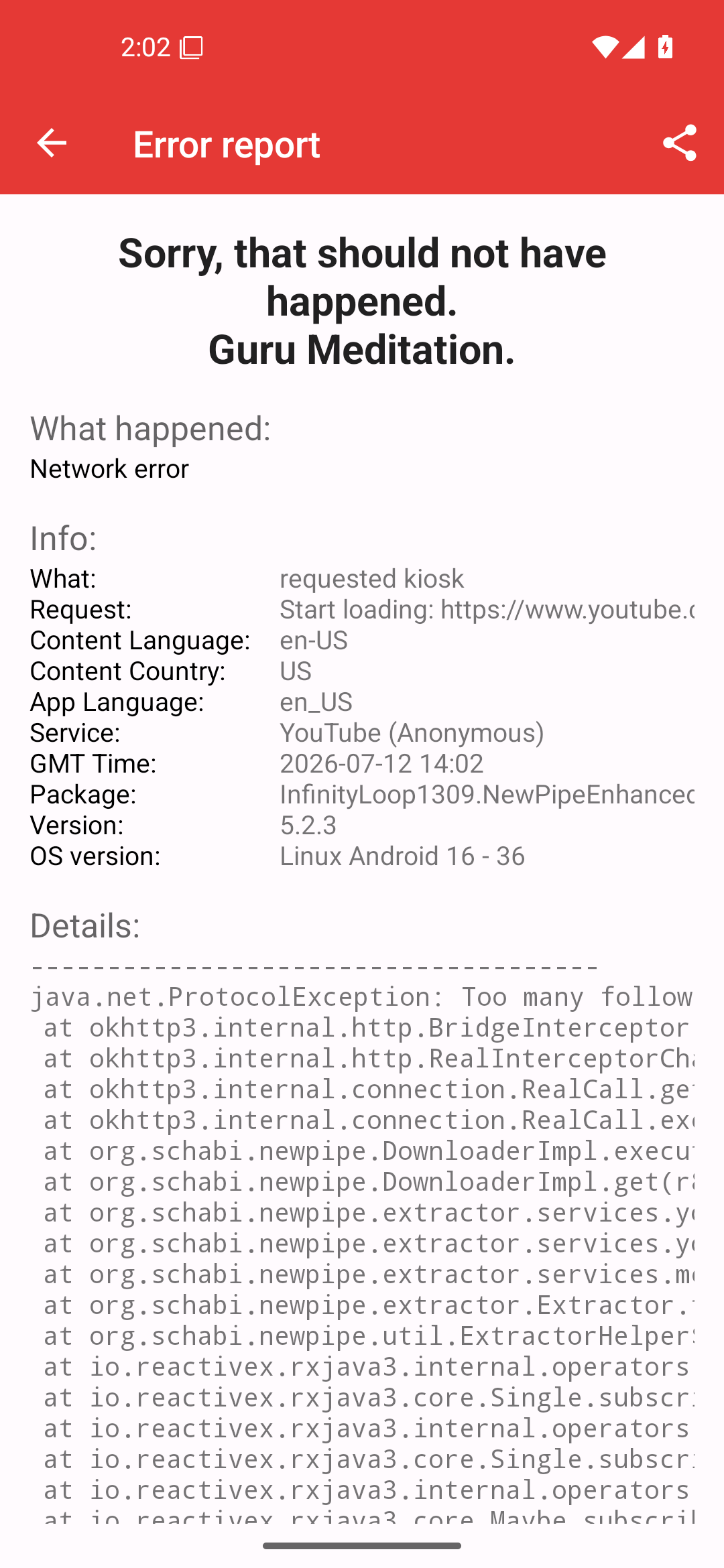
Reference captures: Android 16/API 36. The concrete error is only an example; report the fields shown by your own failure.
Write steps that another person can run
Use numbered actions, not conclusions. “Open this URL, choose MWeb, tap play, seek to 01:00, then return from the Home screen” can be checked. “Playback is broken after update” cannot. State whether it happens every time and which single change, if any, changes the outcome.
Do not hide the ordinary context that changes extraction: login state, endpoint, content country, experimental UI, and VPN/proxy. Conversely, do not paste a full private backup, cookie, token, IP address, email, or unrelated log dump.
Copyable baseline
### Environment
PipePipe version and installation source:
Android version / device:
Service and URL or exact query:
Endpoint / login / content country / VPN-proxy:

### Reproduction
1.
2.
3.

### Expected result

### Actual result

### Evidence
Exact error, approximate time, generated report, and safe screenshot:
Keep scope small
One issue should describe one reproducible symptom. A separate report for search and playback is more useful than a combined report, even if both began after the same application update.
Before creating it, search the recent open and closed issues for the exact error and current version. Add your reproducible evidence to an existing report when it is the same symptom; create a new issue when the service, trigger, or error path is materially different.